
Those who choose a slow travel stay do so to disconnect—and most of the time, they succeed. Still, there are moments when a screen is useful: checking a hiking trail, looking up the return train schedule, and increasingly often, getting a few hours of work done. Remote workers, in fact, tend to travel during the off-season and stay for longer.
We’re talking about half an hour here and there, not entire workdays. But if there’s no suitable place to work, guests end up opening their laptop on the edge of the bed. A well-designed digital workspace helps reduce that working time to a minimum, so that the rest of the stay can be devoted to what guests actually came for.
Why Create a Digital Workspace in a Sustainable Accommodation?

It may seem like a contradiction, but it’s actually the opposite. A well-designed workspace doesn’t bring more technology into the accommodation—it simply organizes it better.
Most accommodations already have digital devices scattered around: a television in the living room, a streaming stick, a Bluetooth speaker, an old computer inherited from home, remote controls, and various small gadgets in different rooms. Bringing some of these functions together in one dedicated space can help avoid unused devices, simplify day-to-day management, and reduce waste.
There’s another important reason: seasonality. People who work remotely are happy to travel during the off-season and stay longer. They’re the guests who fill accommodations in October, November, February, and March—and they often choose where to stay based on how well it’s equipped for occasional remote work.
What Digital Needs Do Guests Have Today?
Less than you might imagine—but they’re very specific.
In practice, there are four main needs:
- Look things up: train schedules, the weather, a hiking trail, or a booking that needs to be changed.
- Get something done: fill in a form, sign a document, or work for an hour without losing a client.
- Make the most of a rainy day, especially in the mountains and especially when travelling with children.
- Talk without disturbing others: join a video call somewhere quieter than a shared room.
None of these requires a full office. All four require the same three things: a surface to work on, a power outlet, and a reliable internet connection in the same place. Surprisingly, in many accommodations these three elements don’t naturally come together.
How to Design an Efficient and Sustainable Digital Workspace
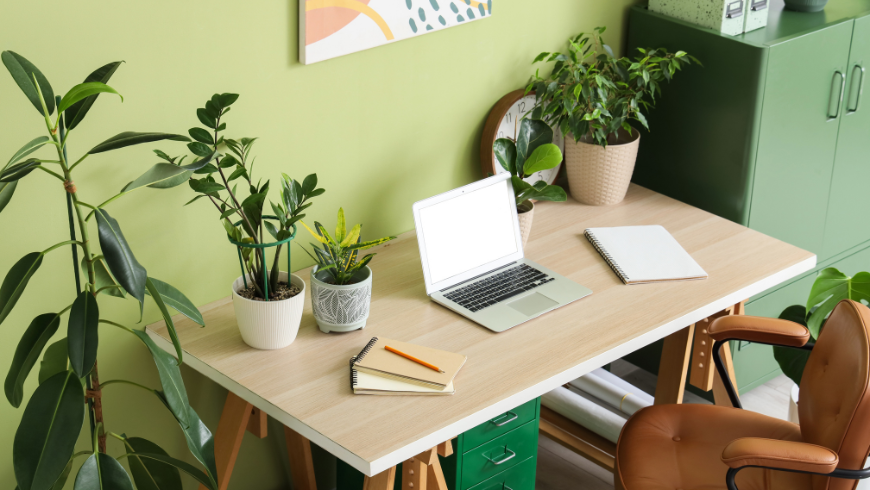
Five criteria, in order of importance. Your workspace should answer real needs. Start with the four needs above—not with a product catalogue. Anything that doesn’t serve one of those purposes is likely to become electronic waste in just a few years.
- It should be easy to use. If it needs an explanation, it isn’t simple enough. A laminated sheet with the Wi-Fi network, password, and a contact number is more than enough; a manual is usually a sign that something is unnecessarily complicated.
- It should be easy to maintain. Choose equipment that can be repaired, upgraded, or replaced one component at a time, without having to replace everything. That’s the difference between a device that lasts eight years and one that lasts only three.
- It should be tidy. Secure cables with adhesive cable channels, keep only one power supply visible, and avoid boxes or adapters sitting on the desk. Tidiness isn’t just about aesthetics—it’s what tells guests that this space was thoughtfully designed for them.
- It should consume as little energy as possible. In a common area, a device often remains powered for most of the year, so continuous energy consumption matters more than peak power. It’s the same principle behind LED lighting or roof insulation, and it’s even more important if your accommodation is powered by solar energy. Compact, energy-efficient devices are therefore the best choice: they’re quiet, take up little space, and can extend the life of a monitor or TV you already own. This also includes compact computers such as Mini PCs, which can often be installed in small spaces while keeping the workstation clean and uncluttered.
- This last point—extending the life of the technology you already own—is more important than it may seem. Smart devices often become obsolete because of their software long before they wear out physically: apps stop receiving updates, and a television that still works perfectly ends up being replaced anyway. This is one of the reasons why electronic waste is growing so rapidly across Europe, as documented by ISPRA. Design for longevity, not for adding more devices.
Test the Space from Your Guests’ Perspective
There’s only one real way to evaluate a workspace: use it exactly as your guests would.
Spend a night in one of your own rooms, following one simple rule: don’t bring anything from home. No spare charger from the hallway drawer, no extension lead borrowed at the last minute. Arrive after sunset with an actual suitcase.
Then actually do those four things. Check a bus timetable over breakfast, write an email in the evening, watch something after dinner. Where do you naturally sit? Does the light come from the side or shine directly into your eyes? Can you reach the power outlet without moving the table?
Here’s a shortcut that costs nothing: read your best reviews again and look for the words “the only downside…”. Even five-star reviews often contain a small suggestion from guests who were already happy—but felt there was just one thing that could have been even better.
Small Details That Make a Big Difference
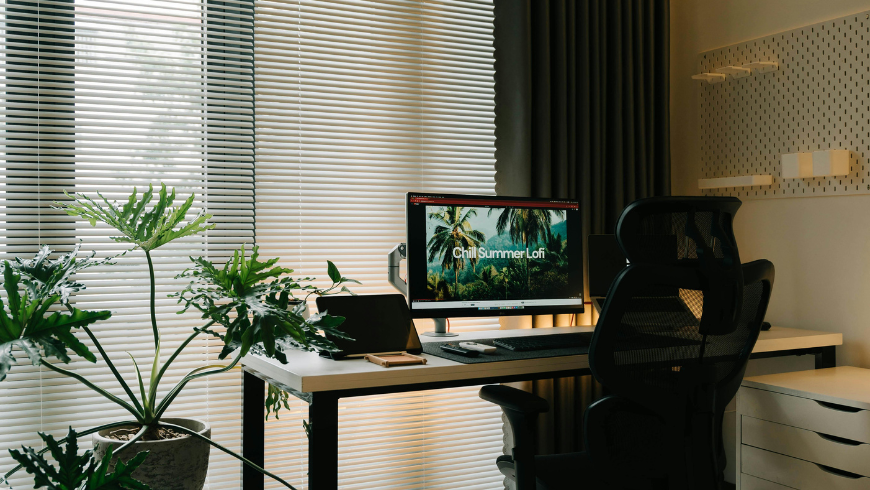
- A desk between 72 and 75 cm high. A standard dining table is perfectly suitable; a coffee table isn’t, and after twenty minutes your guests will notice the difference.
- A proper chair—not a folding chair or a woven dining chair. The difference becomes obvious between thirty minutes and two hours of use.
- Natural light from the side. Never place the window directly in front of or behind the screen.
- An easily accessible power outlet, ideally with integrated USB charging.
- An adjustable desk lamp with warm light for evening use.
- A place to open a suitcase that’s not the bed. It sounds obvious, yet it’s one of the things most often overlooked.
- A power strip with an on/off switch, making it easy to disconnect everything completely during periods when the accommodation is closed.
None of these details will end up in your listing description. Yet every one of them can end up in your guests’ reviews.
Cover image: photo via Canva PRO


